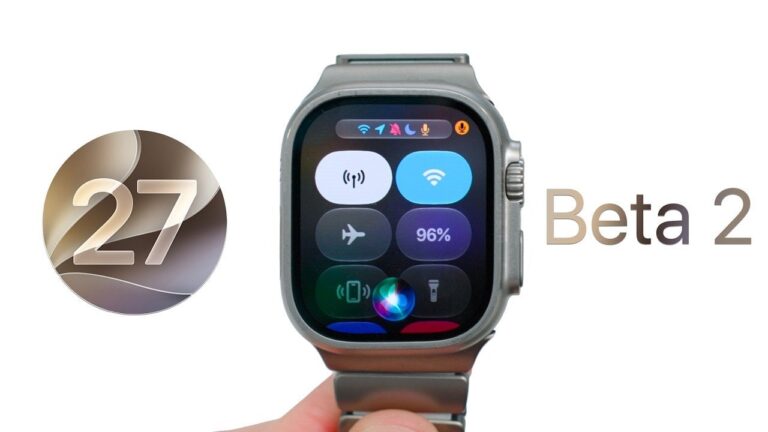
Apple has rolled out watchOS 27 Beta 2, an update designed to enhance the Apple Watch experience through subtle usability improvements and bug fixes. While it doesn’t introduce major new features, it sets the stage for future advancements, including the highly anticipated Siri AI integration and additional watch faces. Below is a comprehensive overview of what this update offers and key considerations before installing it. The video below from Zollotech gives us more details on the new watchOS 27 beta 2.
Key Release Details
The update is available for all supported Apple Watch models, with the exception of the Apple Watch Ultra 3, which received the update a day later. Notably, the Ultra 3 version comes with a unique build number, 24R5305K, and a file size of 1.2 GB. This staggered release highlights Apple’s commitment to tailoring updates for specific devices, making sure optimal performance and compatibility.
For users with other Apple Watch models, the update size varies slightly depending on the device, but the core improvements remain consistent across the board. This approach underscores Apple’s focus on delivering a seamless experience for a wide range of users.
How to Install the Update
Installing watchOS 27 Beta 2 is straightforward, but there are steps you can take to ensure a smoother process:
- Disable Bluetooth on your iPhone to encourage the Apple Watch to use Wi-Fi, which can significantly speed up the download and installation process.
- Keep in mind that beta software is inherently less stable. If you encounter issues, downgrading to a previous version requires assistance from an Apple Store, which may not be convenient for all users.
Before proceeding, ensure your Apple Watch is charged to at least 50% and connected to its charger during the update to avoid interruptions. These precautions can help prevent potential installation errors.
What’s New in Beta 2?
While watchOS 27 Beta 2 doesn’t introduce new features, it includes several meaningful updates that enhance the overall user experience:
- Improved legibility through refinements to the “liquid glass” display technology, resulting in sharper text and visuals.
- New notification management options, allowing users to delete or silence alerts more efficiently, streamlining interactions.
- Minor adjustments to icons and contrast, improving usability and making navigation more intuitive.
One notable change is the removal of the Walkie-Talkie feature, which appears to be a permanent decision. While this may disappoint some users, it simplifies the interface and reduces potential distractions, aligning with Apple’s focus on a cleaner, more efficient user experience.
Bug Fixes and Remaining Issues
watchOS 27 Beta 2 addresses several bugs from the previous version, resulting in smoother app performance and fewer crashes. Key fixes include improved stability for third-party apps and better synchronization with the iPhone. However, some issues persist:
- Touch responsiveness remains inconsistent, particularly during multitasking or when switching between apps.
- Workout tracking occasionally fails to record data accurately, which could be problematic for fitness enthusiasts.
Apple has acknowledged 11 categories of known issues, including complications and Siri-related bugs. These unresolved challenges emphasize the experimental nature of beta software, making it more suitable for developers and early adopters rather than everyday users.
Performance and Battery Life
This update brings noticeable performance improvements, including faster app loading times and a more responsive system overall. The optimized charging algorithms ensure that battery life remains stable under typical usage conditions. However, heavy usage, such as extended workout sessions or frequent app switching, may slightly impact battery performance.
For users who rely on their Apple Watch for intensive tasks, it’s worth monitoring battery behavior closely after installing the update. While the improvements are significant, they may not fully address the demands of power users.
Considerations Before Installing
If you depend on critical features like heart rate monitoring or workout tracking, it may be wise to wait for the public release. Beta software is inherently less reliable and the process of downgrading to a stable version requires visiting an Apple Store, which can be inconvenient. Carefully evaluate the potential risks and benefits before proceeding with the installation.
For developers and tech enthusiasts, the beta offers an opportunity to explore upcoming features and provide valuable feedback to Apple. However, for general users, the limitations and potential issues may outweigh the benefits at this stage.
Looking Ahead
Apple plans to release the public beta in early July, with Beta 3 expected to follow shortly after. Future updates are likely to include additional watch faces and the much-anticipated Siri AI integration, which could significantly enhance the functionality of the Apple Watch. These developments suggest that Apple is steadily working toward a more intelligent and personalized user experience.
watchOS 27 Beta 2 represents a step forward in refining the Apple Watch ecosystem. While it offers incremental improvements and addresses key bugs, its limitations and known issues make it best suited for developers and early adopters. If you’re considering installing the beta, proceed with caution and ensure you’re prepared for potential challenges. As Apple continues to refine its software, users can look forward to more robust features and enhanced usability in future updates.
Here are additional guides from our expansive article library that you may find useful on watchOS 27 Beta 2.
Source & Image Credit: zollotech
Filed Under: Apple, Gadgets News, Technology News, Top News
Disclosure: Some of our articles include affiliate links. If you buy something through one of these links, Geeky Gadgets may earn an affiliate commission. Learn about our Disclosure Policy.